
Sheet Audit Pack Free Google Sheets Audit Add-on
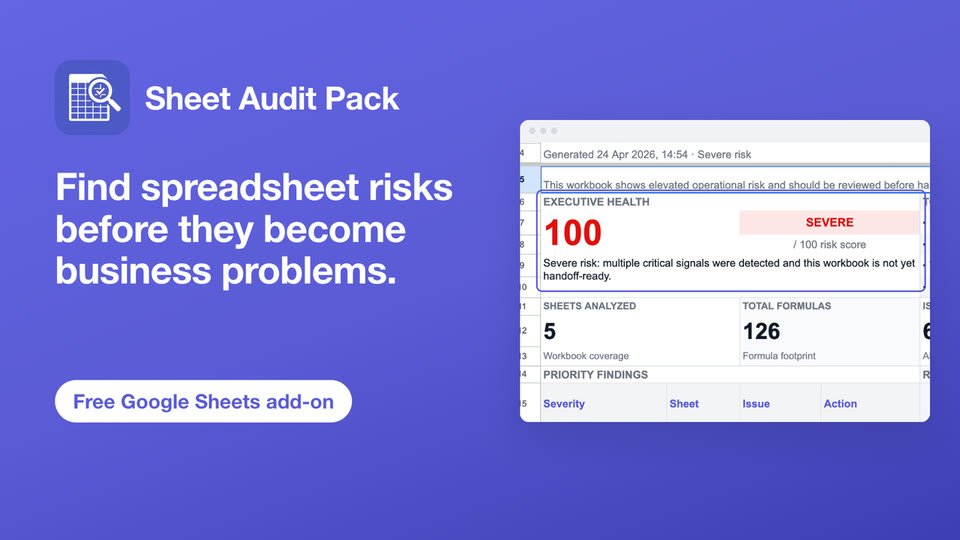
Find spreadsheet risks before they become business problems.
Sheet Audit Pack is a free Google Sheets add-on that audits a whole workbook from the sidebar: formula errors and broken references, hidden sheets, rows and columns, external links, protections, and named ranges. It writes a clear audit report back into your spreadsheet, so you can fix issues before you share or hand over the file.

Spreadsheet content is not sent to external CloudNetix servers. Reports are generated inside your Google Workspace environment.
Why it matters
Spreadsheets often hide risk.
Important workbooks grow over time without documentation. Hidden sheets, broken formulas, external references, and undocumented protections make workbooks difficult to trust, maintain, or hand over. Sheet Audit Pack turns an unknown workbook into a structured review.
Simple to use
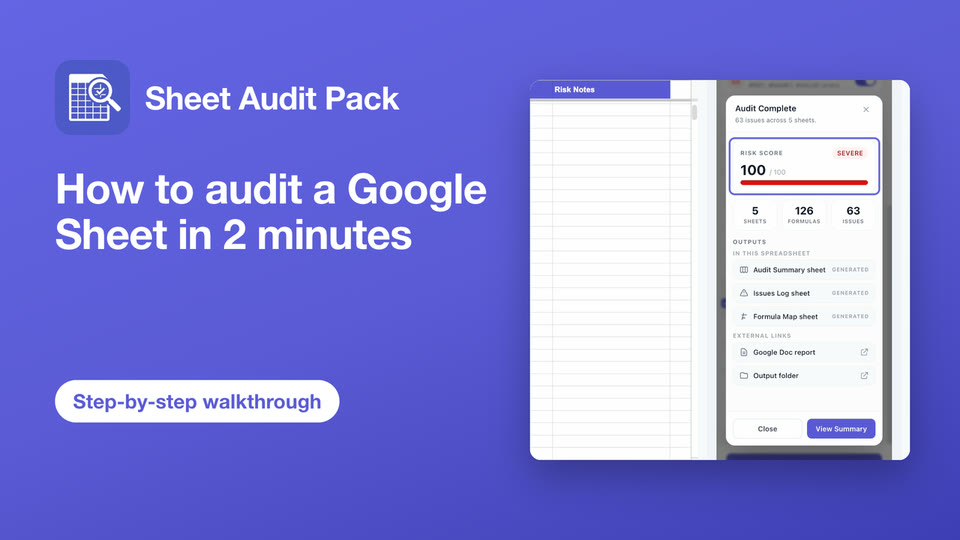
Run a workbook audit in minutes.
Sheet Audit Pack is a sidebar add-on. No installation beyond the Marketplace, no account needed — just open your sheet and start.
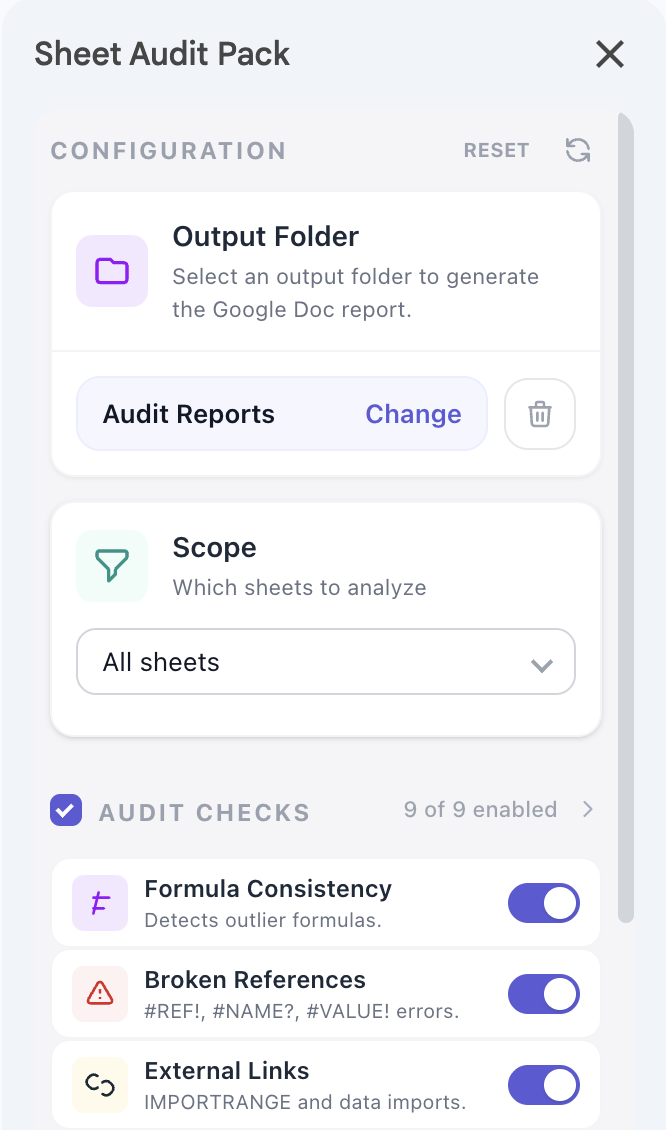
What it checks
Sheet Audit Pack checks what matters.
Configurable checks cover the most common spreadsheet risks, from formula quality to governance readiness.
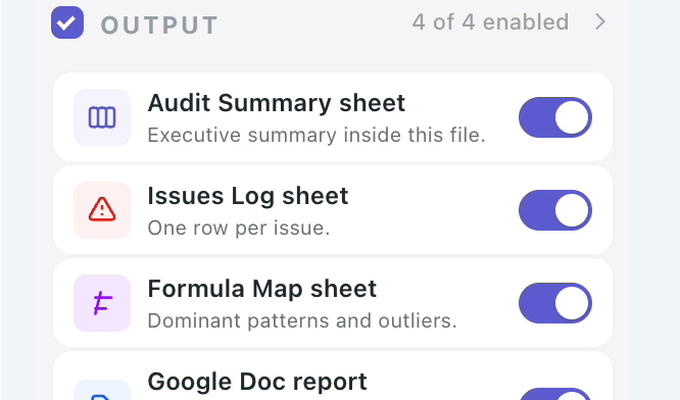
Audit outputs
Clear reports you can act on.
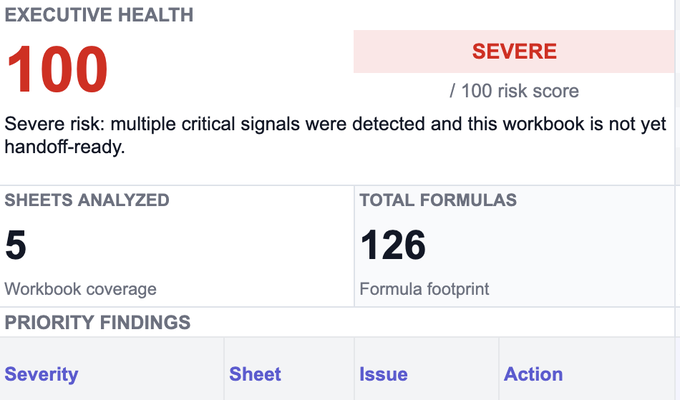
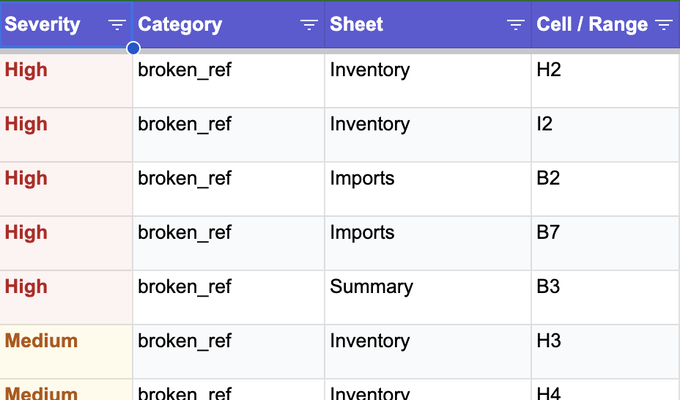
Generated outputs give you a structured view of workbook health, individual findings, and formula coverage — ready for handoffs, client delivery, or internal review.
Who it is for
Built for spreadsheet reviews, handoffs, and audits.
Sheet Audit Pack is useful for anyone who works with spreadsheets they did not build themselves — or needs to document and hand over the ones they did.
Privacy & trust
Designed with privacy in mind.
Sheet Audit Pack is designed to run inside your Google Workspace environment. Spreadsheet content is used only to perform the audit and generate the reports you select.
Product preview
See it in action.
Sheet Audit Pack runs as a sidebar inside Google Sheets. All outputs are generated directly in your workbook.
Learn more
Guides to auditing Google Sheets.
Practical, step-by-step guides on finding broken formulas, reviewing a workbook before you trust it, and taking over an inherited spreadsheet. Browse all guides.
Common questions
Frequently asked questions.
If you have a question not answered here, contact support@cloudnetix.de.
Is Sheet Audit Pack free?
Does Sheet Audit Pack send spreadsheet data to CloudNetix servers?
What is a Google Sheets workbook audit?
What does the add-on check?
What reports are generated?
Why does the add-on request Google permissions?
Can I choose what to scan?
Is this an official Google product?
Get started
Ready to audit your next workbook?
Use Sheet Audit Pack to review workbook structure, formula risks, and handoff readiness — directly inside Google Sheets. Free, with no subscription.